Offline-first desktop
The till keeps working when the internet doesn't. Local SQLite stores every sale, and the cloud sync catches up the moment you reconnect.
Sales, inventory, gold rates and old-gold buy-back in one offline-first desktop app, with a mobile app that stays in sync.
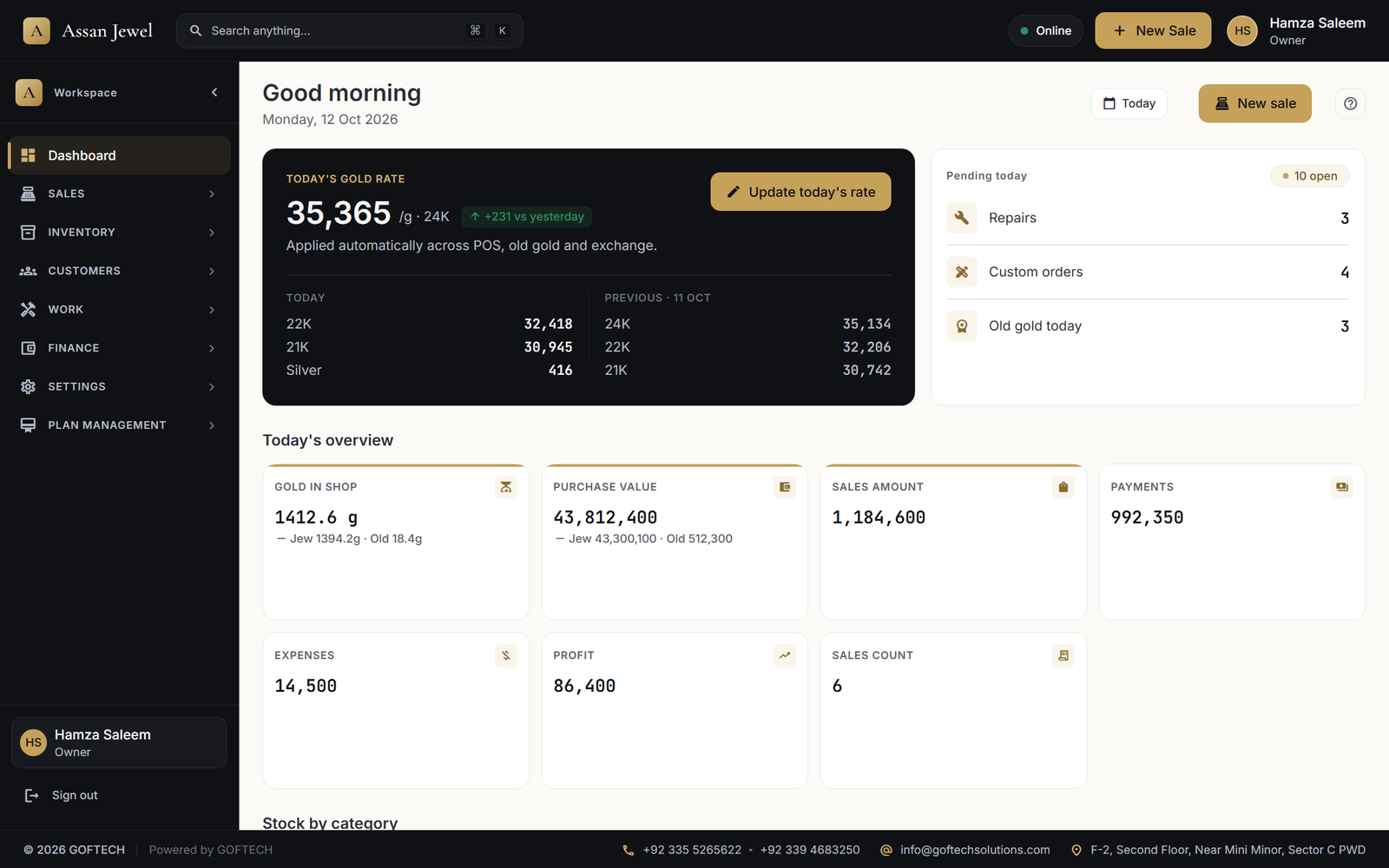
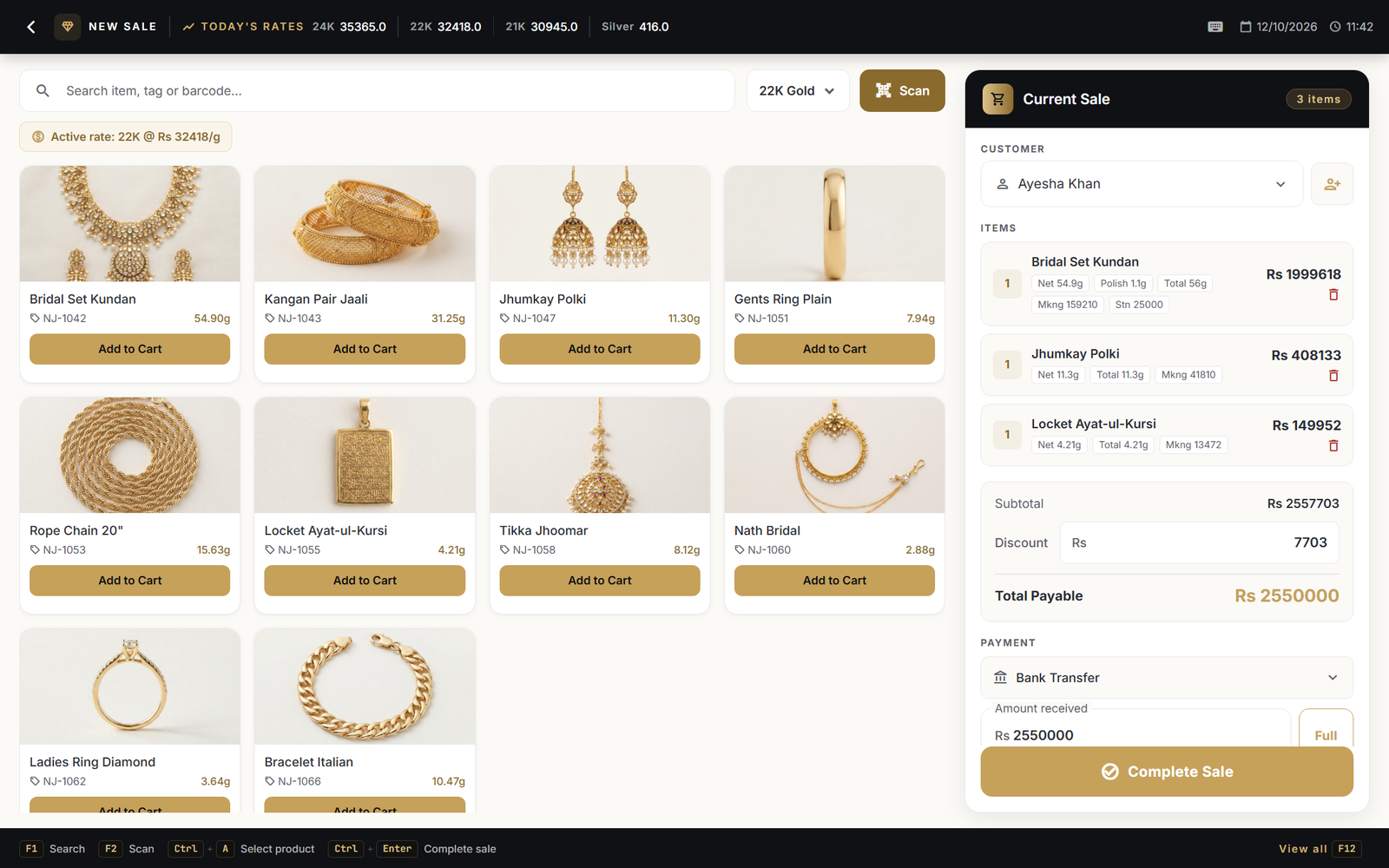
Designed alongside working jewellers in Karachi. Every screen earns its place; nothing is bolted on.
The till keeps working when the internet doesn't. Local SQLite stores every sale, and the cloud sync catches up the moment you reconnect.
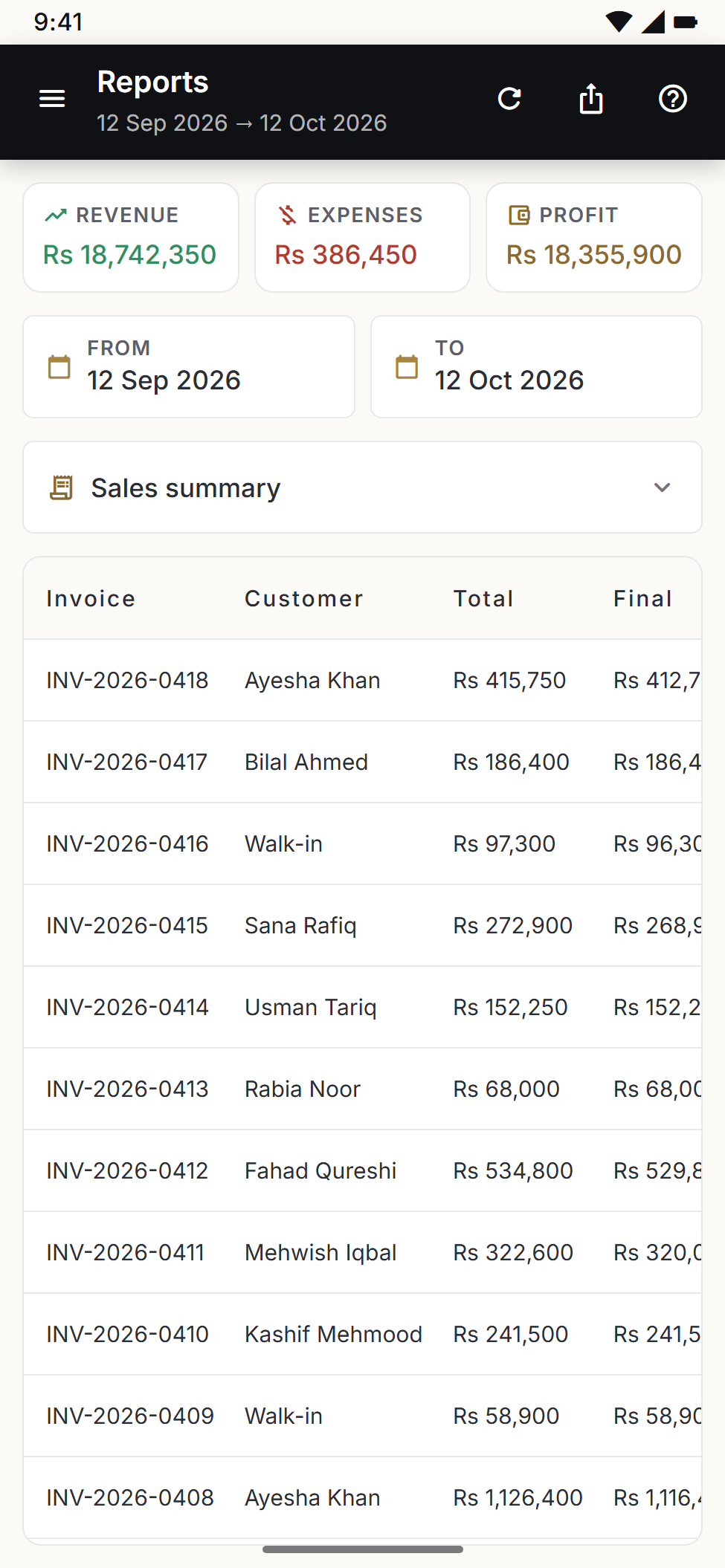
Step off the floor and into the office — your phone shows the same dashboard, sales history, inventory, reports, and subscription usage.
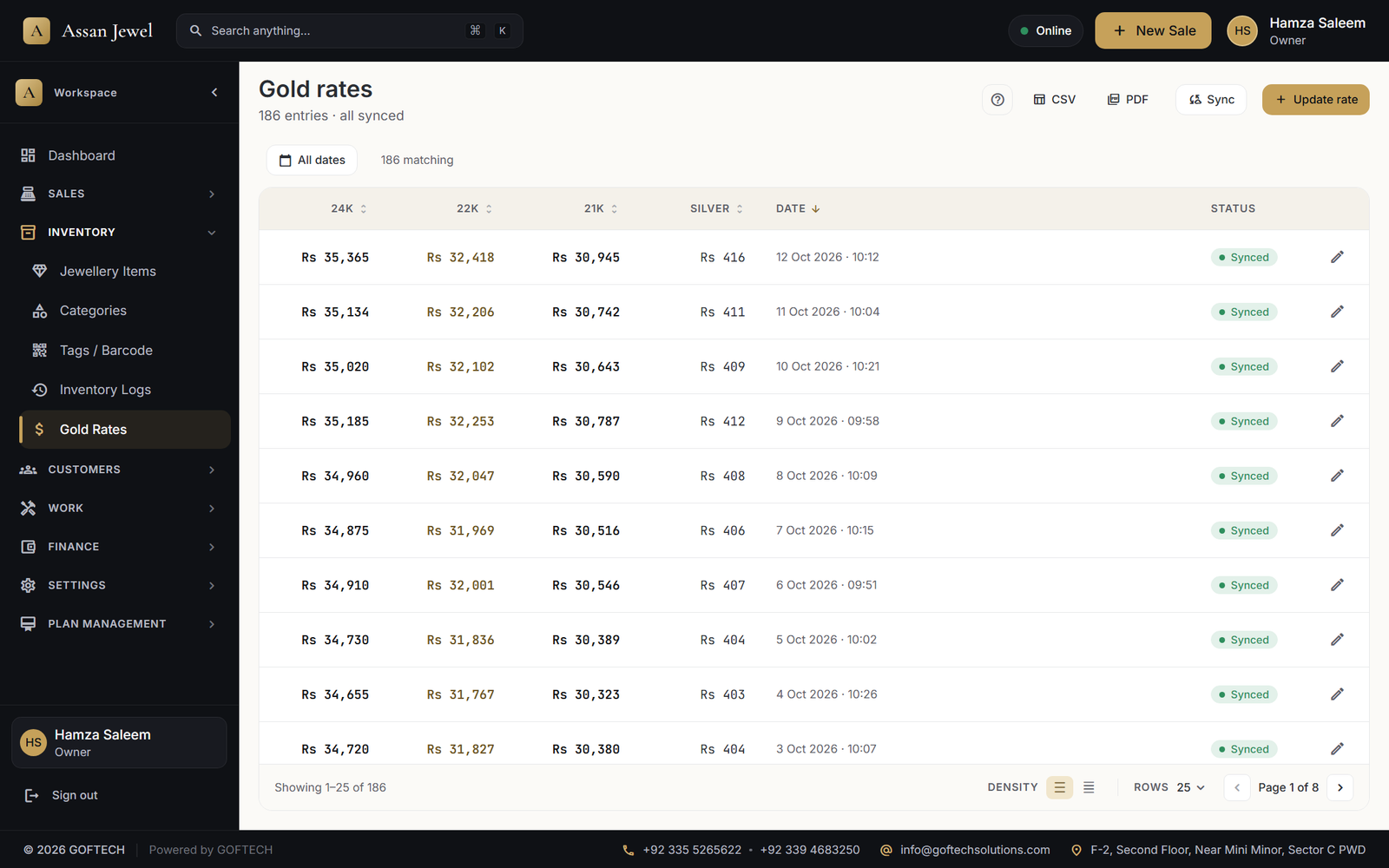
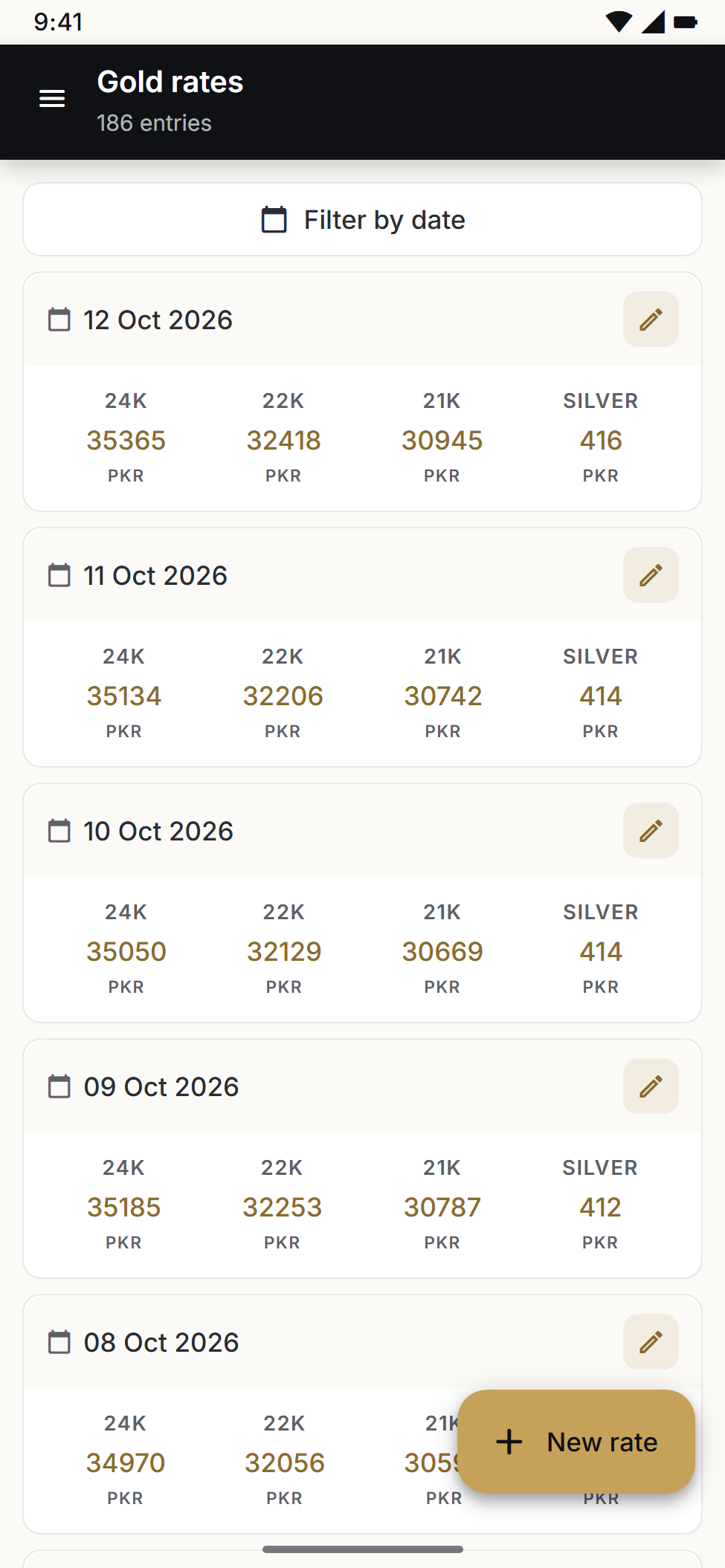
24K, 22K, 21K, and silver tracked independently. New Sale auto-picks the right rate based on the selected purity — no manual lookup.
Upload once, every printed / saved / WhatsApp-shared receipt carries your brand — including header, footer, tax line, and terms.
Owner / staff / accountant — set Read / Create / Update / Delete per module. Subscription expiry switches the shop to safe read-only mode.
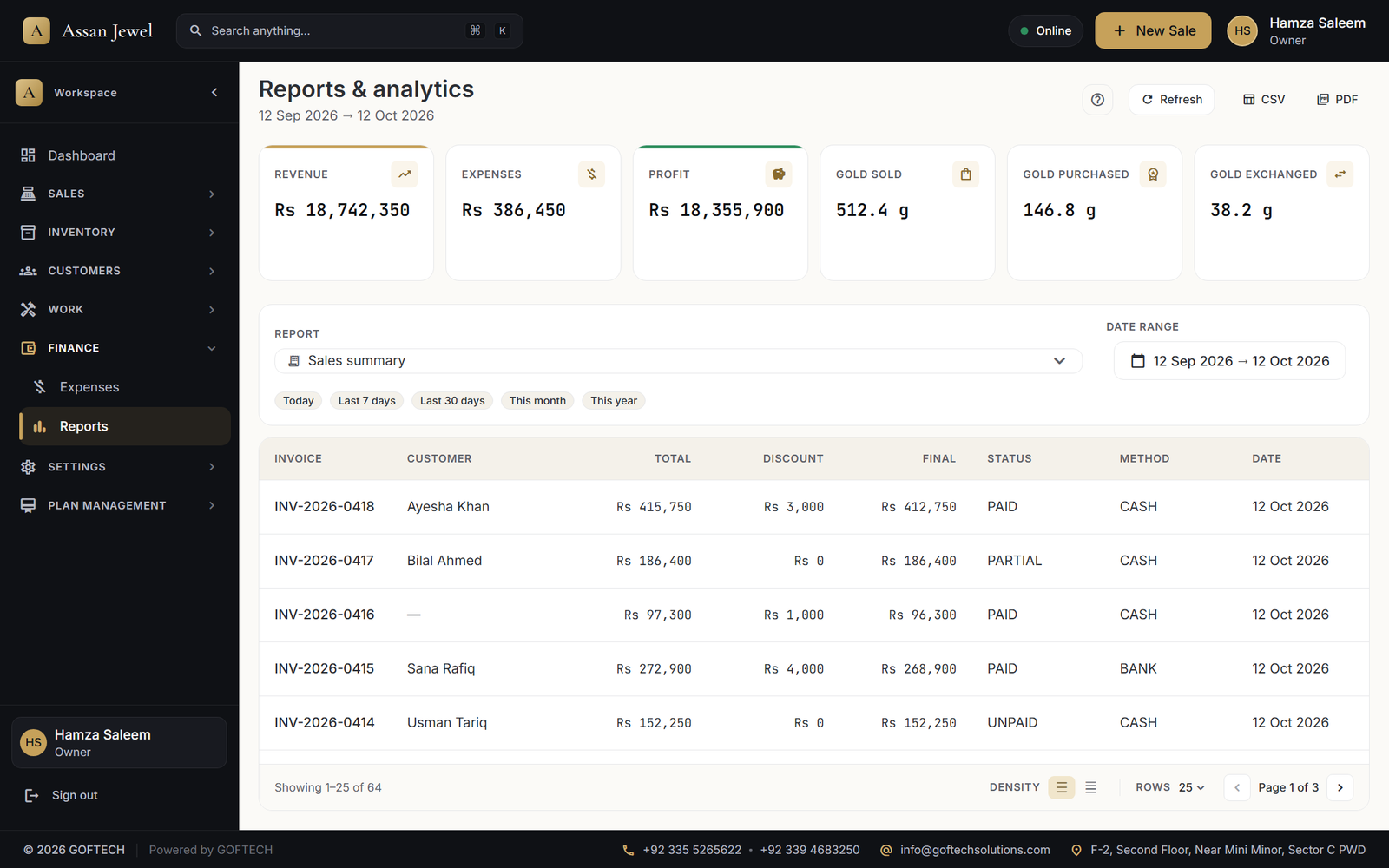
Sales summary, sales items, payments, old gold, exchanges, inventory stock, inventory movement, expenses, customer purchases, customer balances. All exportable as CSV / PDF.
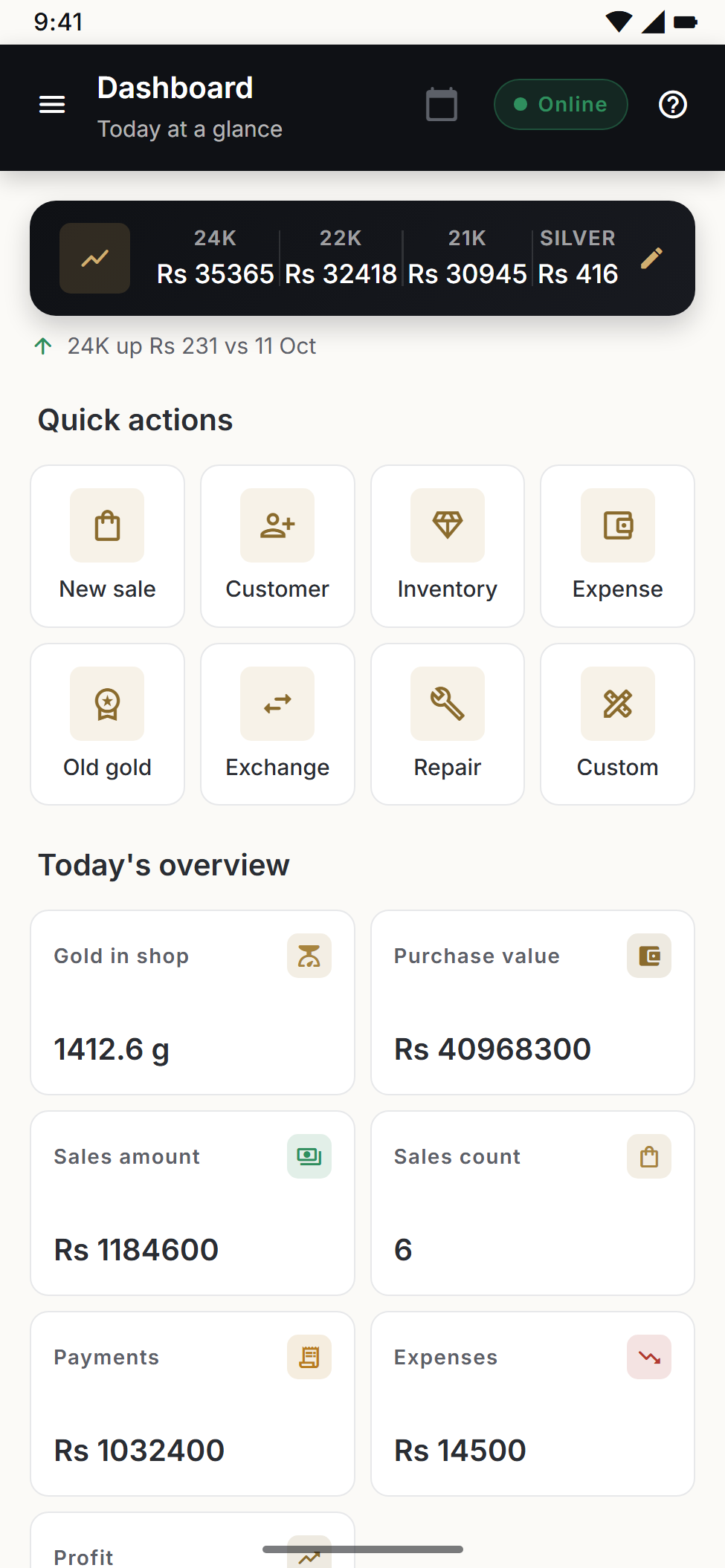
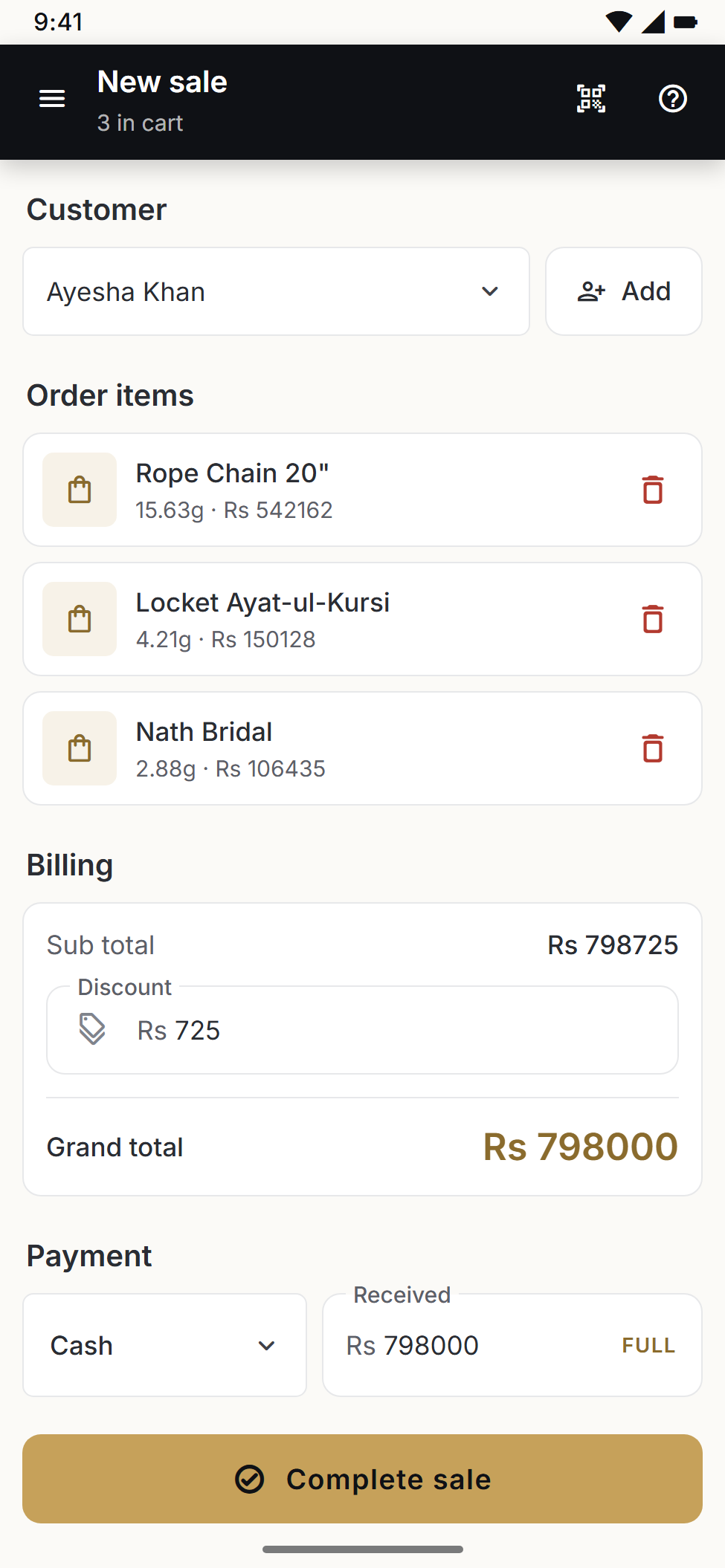
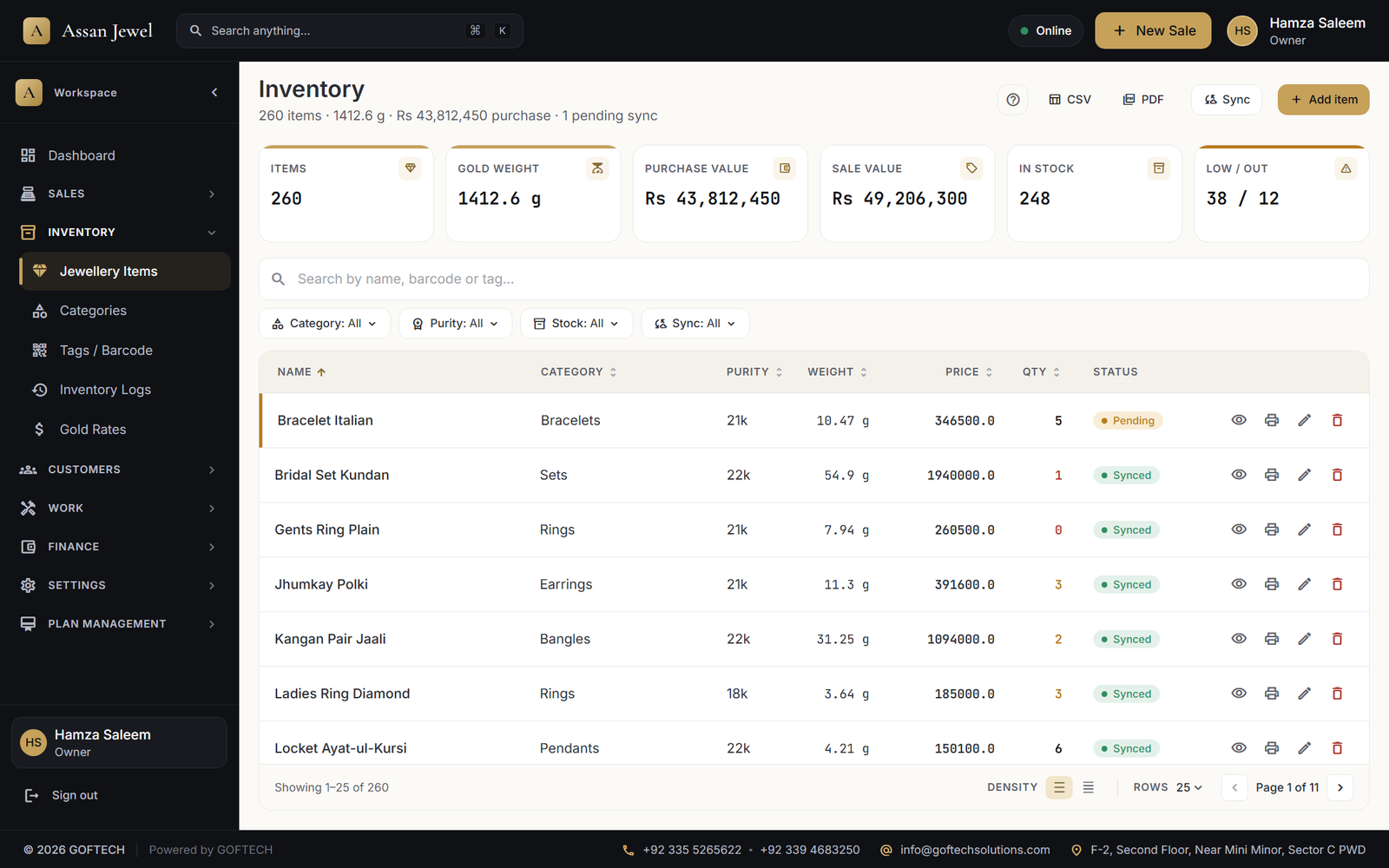
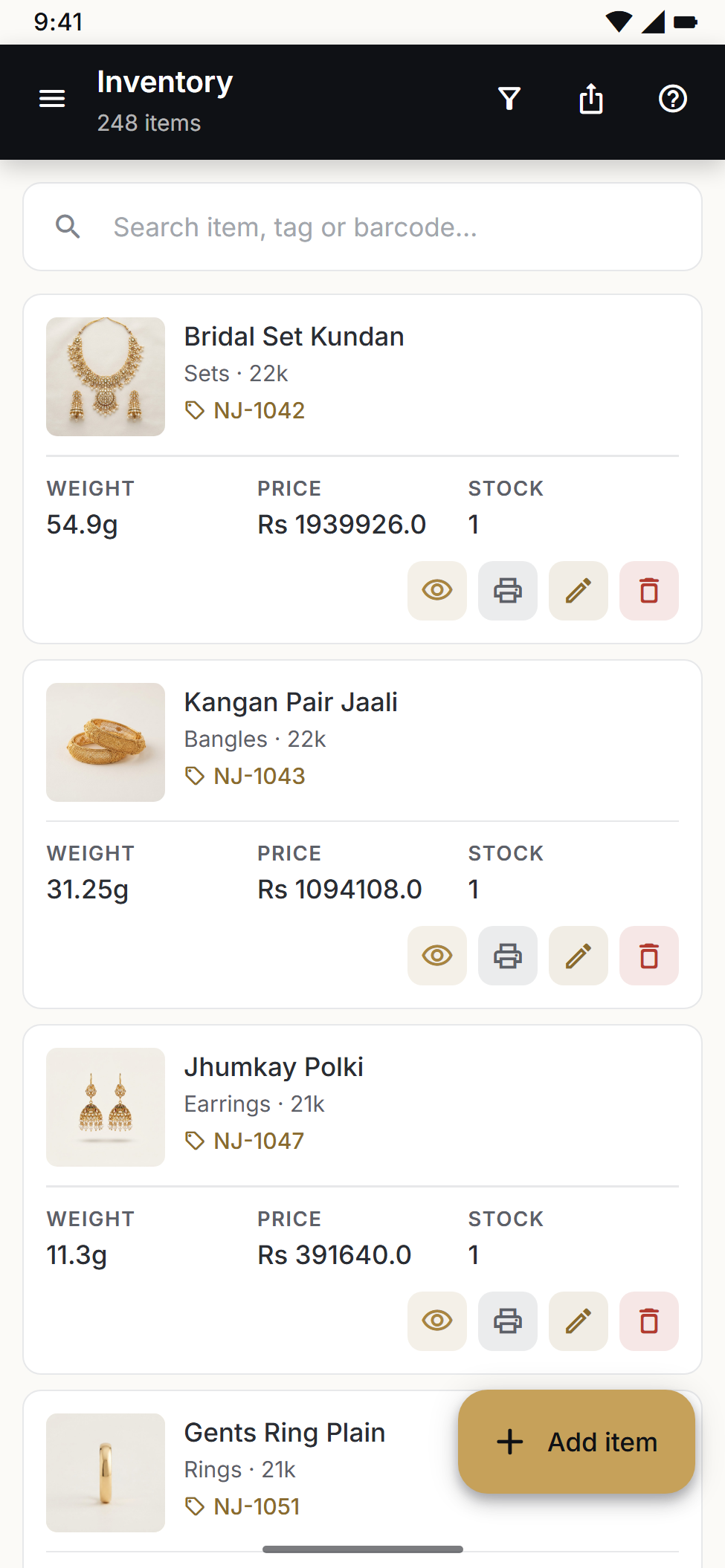
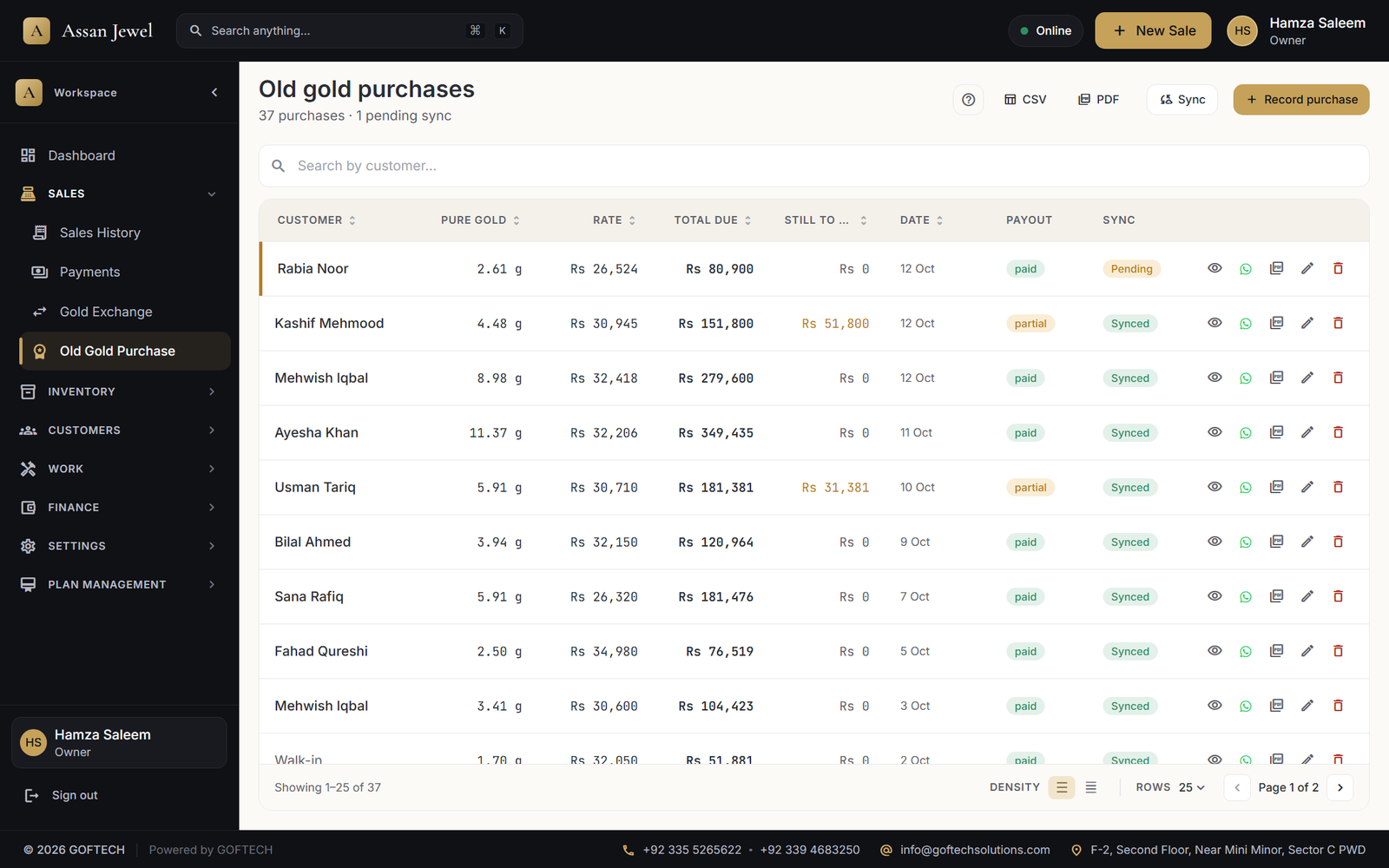
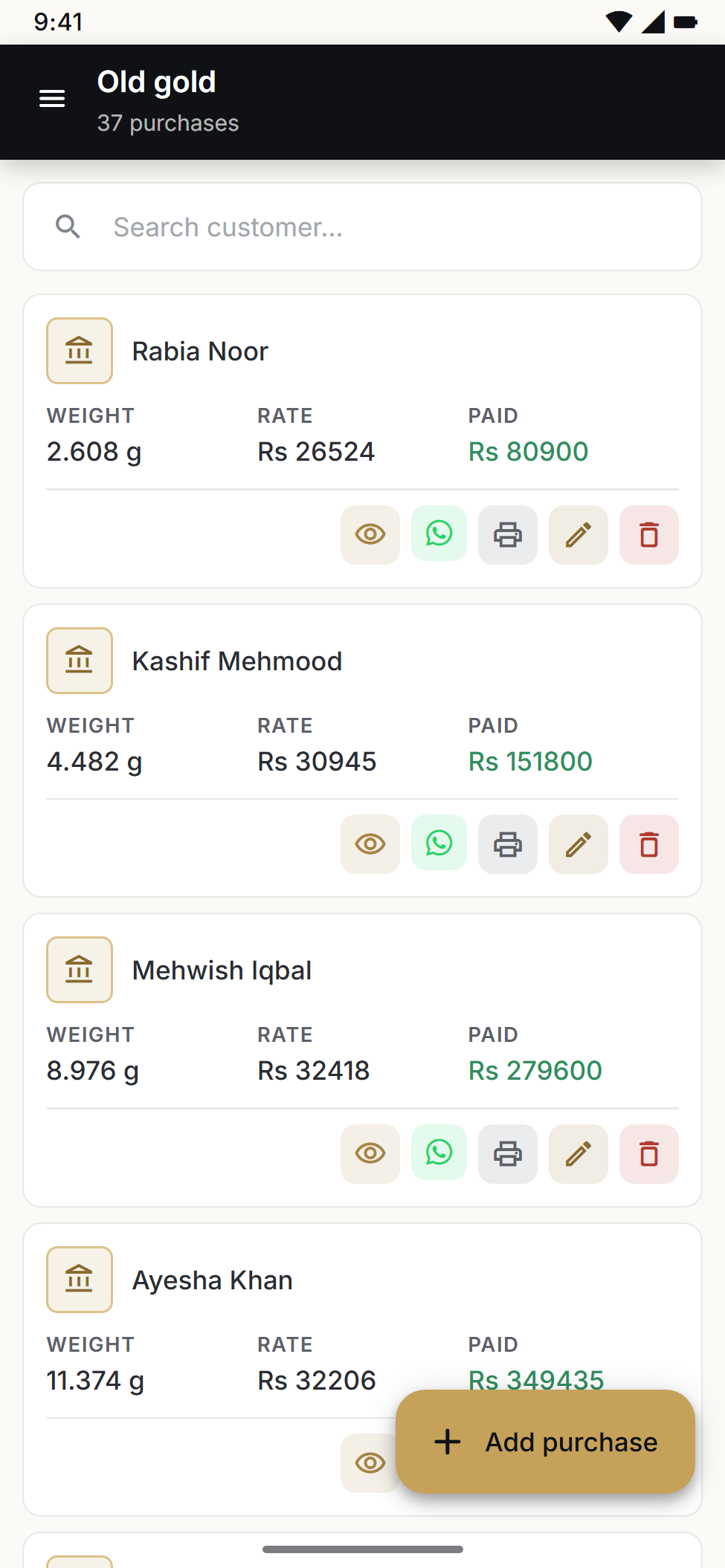
The actual desktop and mobile screens, shown with sample shop data.
Pick the customer and the pieces. Gold value, making charges and stones are worked out at today's rate.
Weight, purity, price and quantity for every piece, with barcode tags ready to print.
Enter weight, purity and the sarafa kat. The app values it at today's rate and gives the customer a receipt.
Barcode scan, weight pop-ups, split payments.
Gross / stone / net weight + making charge engine.
Print SKU labels for every piece, mobile or desktop.
Credit balance, history, WhatsApp receipt share.
Old gold weight × purity → balance against new piece.
Deduction %, final weight, rate × paid amount.
Track item, weight, problem, status, delivery date.
Design details, est / actual weight, karigar assignment.
Gold issued, returned, loss, making charges per worker.
Cash / card / bank / JazzCash / EasyPaisa, partial OK.
Categorised business expenses, reports.
10 report types with CSV + PDF export.
Desktop is the till. Mobile is the office on the go. Both stay in sync — automatically.
The full till for your shop. Offline-first SQLite store, branded receipts, gold-rate engine, repairs, exchanges, and reports — everything the counter needs, working with or without internet.
The office in your pocket. View live sales, customers, inventory, reports, and subscription usage in real time — wherever you are.
Start free for 30 days. Upgrade when your shop grows. Cancel any time.
All prices in Pakistani Rupees. Start with a 30-day free trial — no card needed.
Yes. The desktop app is offline-first — every sale, inventory change, and customer record works without internet. When you connect, data syncs to the cloud and your mobile app sees the same numbers.
Yes. Upload your logo once in Settings → Receipt and every printed, saved-as-PDF, and WhatsApp-shared receipt uses it — both desktop and mobile.
Yes. 24K, 22K, 21K, and silver are tracked independently. New Sale auto-picks the right rate based on item purity.
Enter gross / stone / net weight and a deduction percentage. The app computes final weight, multiplies by the current rate, and produces a printable receipt for the customer.
Your desktop SQLite stays on your machine. The cloud backup (Basic / Pro plans) uses TLS and is hosted on managed infrastructure. You can export everything to CSV or PDF whenever you like.
Yes. The owner controls Read / Create / Update / Delete permissions per module (Sales, Inventory, Customers, Work, Finance, Settings) for every staff account.
Try Assan Jewel free for 30 days. No card needed. Set up takes 10 minutes.
GOFTECH builds tailor-made software for South Asian businesses — from jewellery shops to logistics operators. Assan Jewel is one of our flagship products.
Need help integrating, customising, or training your team? Reach us any time using the channels on the right.
Long-form guides on jewellery POS, gold-shop management and digital transformation for Pakistani jewellers.